
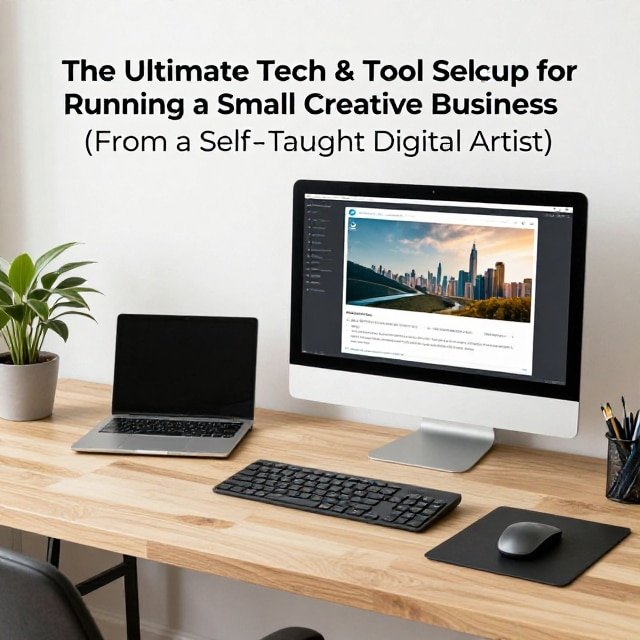

Everything I use to stay productive, organized, and efficient as a self-employed illustrator
Building an effective workflow doesn’t happen overnight — it’s something that develops gradually as your business grows. As a self-taught digital artist and self-employed business owner, I’ve spent the past couple of years slowly investing in the tools and equipment that make running my business smoother. Here’s the complete breakdown of everything I use — and a reminder up front: you don’t need all of this to get started. Start with what you have, and reinvest as your business grows.
Content Creation Tools
Camera: iPhone 14 Pro
For most of last year, I filmed content on a Sony a6000. After upgrading to the iPhone 14 Pro, I switched over exclusively — and haven’t looked back. The Sony’s short battery life (with no spare battery on hand) meant constantly pausing to recharge mid-shoot. With the iPhone, I can plug in and keep recording without interrupting my workflow. When it comes to content creation, a smooth, uninterrupted process matters more than raw camera specs.
External Storage: 5TB Western Digital Hard Drive
Between raw footage and edited videos for multiple platforms, storage fills up fast. A 5TB external hard drive from Western Digital keeps older files backed up and off my phone and computer, freeing up space without deleting anything important. If you’re producing a lot of video or large project files, external storage is worth investing in early.
Digital Art & Core Devices
iPad Pro + Apple Pencil
I create all of my digital artwork on an iPad Pro (any Apple Pencil-compatible iPad works just as well). I prefer the larger screen size for more working space, paired with a folio case from Amazon that folds into a stand for more comfortable drawing angles.
MacBook Pro
As a longtime Apple user, staying within the Apple ecosystem has made a noticeable difference in productivity. Because my iPad, iPhone, and MacBook all sync seamlessly, I can copy, paste, or share files, images, and text across devices instantly — removing friction from day-to-day work.
External Monitor: Samsung 32″ M8
Adding an external monitor made a bigger difference to my workflow than I expected. The extra screen real estate makes it easier to see fine details and multitask. Paired with a Bluetooth keyboard and mouse that connects across multiple devices, my MacBook effectively functions as a full desktop setup.
Shipping & Packaging Tools
Thermal Printer
Before switching to a thermal printer, I printed shipping labels on regular paper and cut each one out by hand — functional, but slow and wasteful. A thermal printer eliminates ink entirely and prints labels at the exact size needed, cutting down on both time and waste.
Cricut Explore Air 2
When I first opened my shop, I wanted to make my own stickers without cutting them by hand. I chose the Cricut Explore Air 2 mainly for accessibility (plenty of people prefer Silhouette machines instead). Two years in, it’s held up well with only minor issues along the way.
Epson EcoTank 2850 Printer
This printer has been a standout for cost-efficiency — in two years of regular use, I’ve only had to refill the ink once. The print quality remains excellent, which matters when printing physical products for a shop.
Digital Shipping Scale
Shipping costs depend heavily on accurate weight, so a compact digital scale (purchased from Amazon) ensures I’m never overpaying — or underpaying and getting hit with adjustment fees — on postage.
P.O. Box
Since I work from home and prefer not to share my personal address publicly, I use a P.O. Box through my local post office as my return address. Cost varies by location, box size, and rental term — mine runs about $40 every six months.
Business & Website Tools
Squarespace
My entire shop and website run on Squarespace. Having your own dedicated website — separate from social platforms — gives you full control over how your business is presented, without algorithm-driven distractions. My site includes a shop, an About page, a blog documenting my experience as a self-employed artist, an FAQ page, and a contact page. Squarespace also supports a wide range of third-party app integrations.
Shippo
For multi-carrier shipping comparisons, I use Shippo, connected directly to my shop. Orders sync automatically, customer information populates without manual entry, and I can compare shipping rates across carriers and purchase labels all in one place.
Editing & Design Software
Final Cut Pro (previously iMovie)
I started with iMovie — free, beginner-friendly, and perfectly capable for early YouTube, TikTok, and Instagram content. I eventually upgraded to Final Cut Pro, choosing it over Premiere Pro largely because of the one-time $300 purchase price, compared to Premiere’s ongoing subscription model, along with the additional editing features it offers.
Canva
For titles, overlays, shop graphics, social media posts, and sticker text design, Canva covers nearly everything. It’s free to use, with a Pro plan available for additional features — I’ve used it for about six months and consistently recommend it.
Epidemic Sound
For background music and sound effects in videos, Epidemic Sound removes the worry of copyright claims entirely, with a large licensed music and sound effects library built specifically for content creators.
Notion
To manage tasks, planning, and content scheduling, I rely on Notion — free to use, with a weekly planner, a finance tracker for income and expenses, and a content calendar for social media planning all in one place. It can feel overwhelming at first given how flexible it is, but it’s one of the tools I recommend most often to anyone trying to get organized.
Procreate
For all of my actual artwork, Procreate (around $13, available exclusively on iPhone and iPad) remains my go-to app. Its natural, traditional-drawing-like feel makes it especially approachable for beginners.
Workspace & Physical Setup
Business Notebook
Despite working almost entirely on a computer or iPad, I keep a physical notebook — an A5 MD Notebook, page-a-day journal — for notes, new ideas, future product plans, goals, and anything worth remembering. It’s a daily habit for capturing thoughts before they slip away.
Memo Pads
For small daily tasks that are easy to forget, I use handmade memo pads with quick checklists — a simple, low-tech way to stay on top of the details.
Office Chair
Working from home means long hours at a desk, so a comfortable, height-adjustable chair with wheels and posture support has made a noticeable difference — even after just a month of use.
Standing Desk (FlexiSpot)
My current desk is a FlexiSpot standing desk, complete with a storage drawer for packing materials and built-in USB ports for charging. Being able to easily adjust the height — whether to stand and stretch or move around while working — has been one of the most useful upgrades to my workspace.
Squeegee
A small, inexpensive tool, but essential if you’re laminating stickers at home — it applies laminate smoothly and removes air bubbles.
Final Thoughts
None of these tools were acquired all at once — this setup evolved gradually as the business grew and specific needs became clear. If you’re just starting out, begin with whatever you already have, and invest in new tools only when they solve a real problem in your workflow.